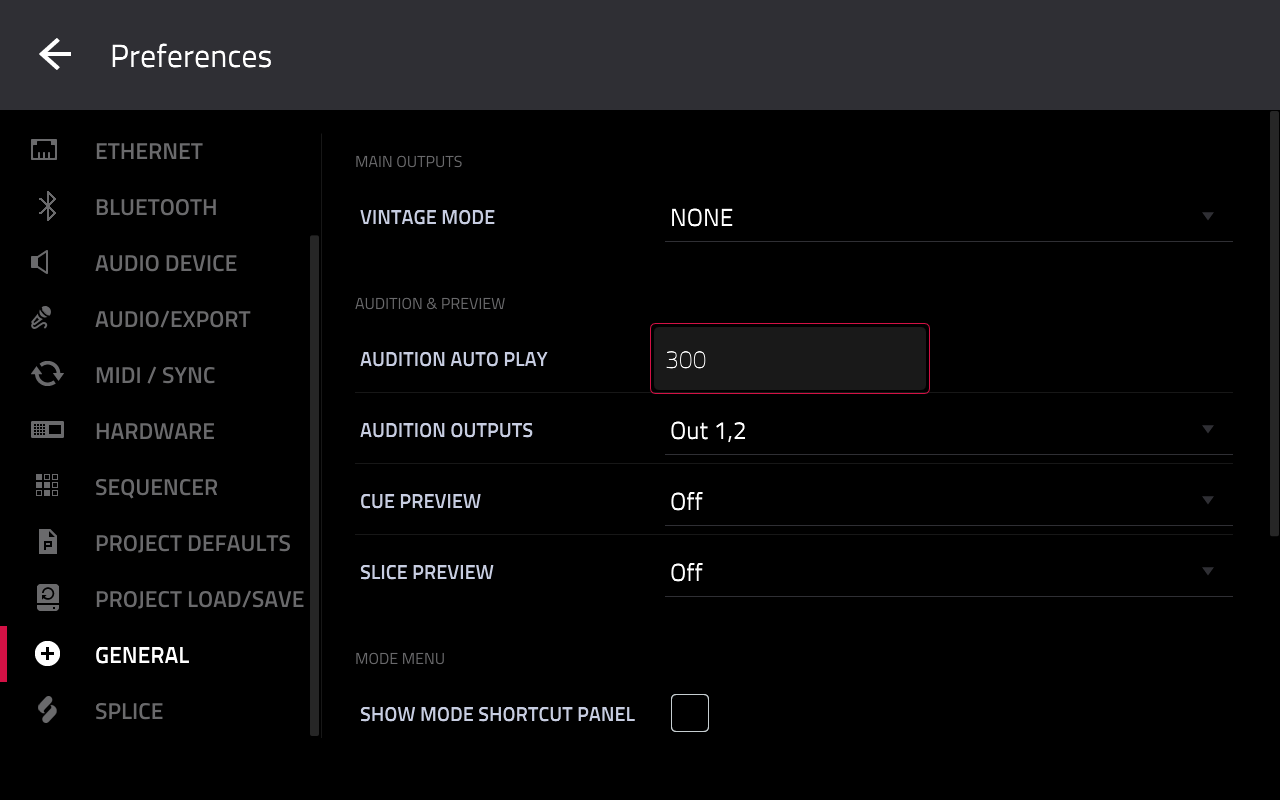
What it does
When you audition files in the Browser, MPC plays a preview for as long as the Audition Auto Play preference says, and that preference stops at 30 seconds. Previewing a full loop or a whole song you want to chop means cutting it off halfway. With this mod the setting goes as high as you allow, 600 seconds by default, and playback follows it.
How to use it
- Go to Preferences > General.
- Tap Audition Auto Play and enter a value above 30 on the number pad.
The value is saved with MPC's preferences as usual. If the mod is turned off later, a saved value above 30 comes back as 30 at the next start.
Settings
In audition-length.conf (read when MPC starts):
| Setting | Default | What it does |
|---|---|---|
max_seconds |
600 |
The highest Audition Auto Play value, 30 to 3600. 30 is stock. |
enabled |
1 |
0 brings back the 30 s limit. |
How it works
MPC enforces the 30 seconds in two places: the setting itself, which clamps every value including the one loaded from your saved preferences, and the Preferences screen, which has its own 1 to 30 range for the number pad. Before MPC builds its preferences, the mod changes the one number in each place to max_seconds. It adds nothing that runs afterwards: no hooks and no threads.
Each change is checked first. If MPC isn't exactly what the mod expects, that part stays stock and the mod says so in its log. Only MPC 3.10.0 is supported.