What it does
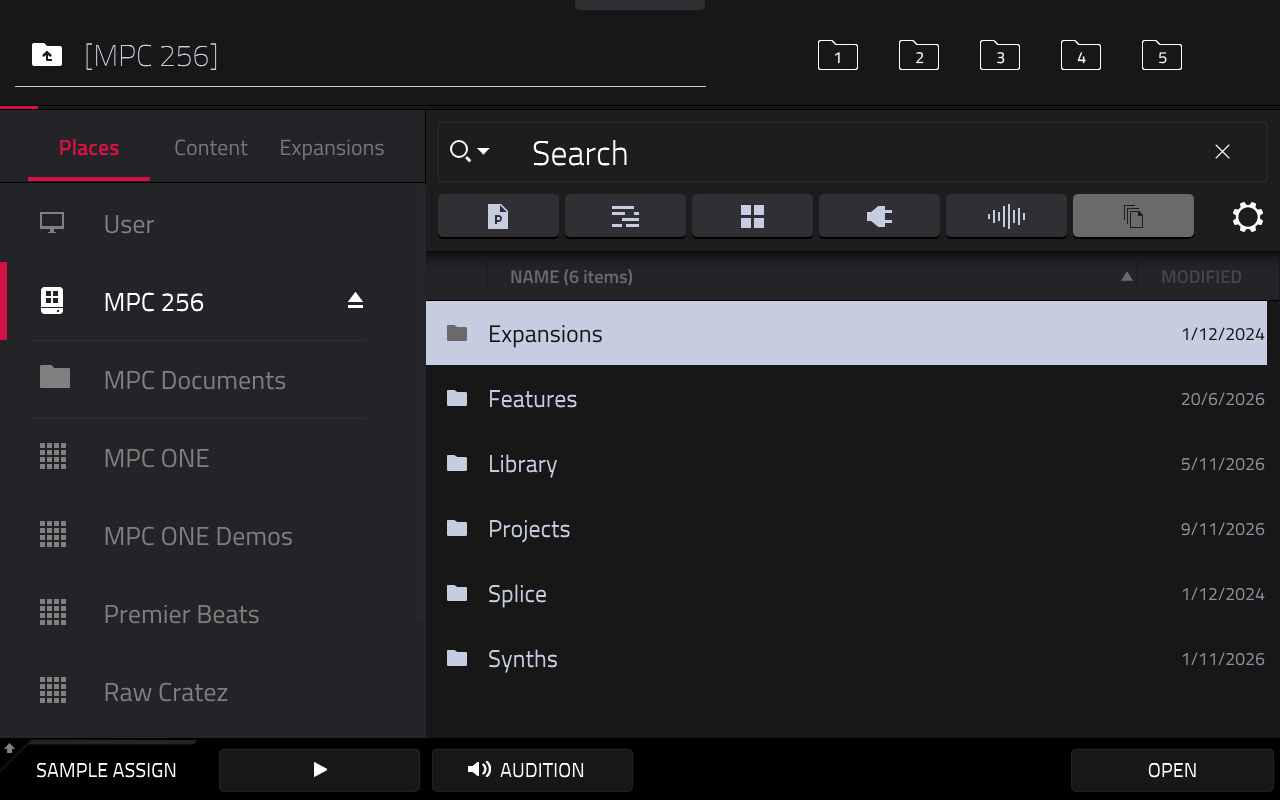
The Browser gets the two buttons you'd expect for walking through folders:
| Button | Stock | With Browser navigation |
|---|---|---|
| − | Move the highlight up; on a file, load it onto the current pad | Go up one folder |
| + | Move the highlight down; on a file, load it onto the current pad | Open the highlighted folder; nothing on a file |
The + button does nothing on a file on purpose: loading replaces what's on the current pad, which is easy to do by accident while browsing, and LOAD is still there. Going up puts the highlight back on the folder you came from.
Q-LINK steps through the five folder bookmarks at the top right of the Browser, 1 to 5 and round again, as if you'd tapped them. The four Q-Link LEDs show which bookmark you're on: bookmarks 1 to 4 light LEDs 1 to 4, and bookmark 5 turns them all off.
The Browser also starts on the ALL filter, so every file type shows, instead of MPC's PGM.
How to use it
- Open the Browser.
- Press + to open the highlighted folder and − to go back up. The data wheel still moves the highlight.
- Press Q-LINK to jump to the next bookmarked folder.
Everywhere outside the Browser's file list, including the Save dialog, +, − and Q-LINK work as stock, as do SHIFT+Q-LINK and the touchscreen. A filter you tap stays until the next project load.
Settings
In browser-nav.conf:
| Setting | Default | What it does |
|---|---|---|
minus |
1 |
0 makes − stock again. |
plus |
1 |
0 makes + stock again. |
default_filter |
0 |
The filter the Browser starts on: 0 ALL, 1 PRESET, 2 PROJ, 3 SMPL, 4 SEQ, 5 PGM, -1 MPC's own. Needs an MPC restart. |
qlink |
1 |
0 makes Q-LINK stock in the Browser. Needs an MPC restart. |
enabled |
1 |
0 turns the mod off. Needs an MPC restart. |
Diagnostics: log.
How it works
The hardware + and − buttons act on whatever on-screen element has focus. The mod changes only what they do for the Browser's file list, sending them to the list's own "up one folder" and "open" actions, the same ones the touchscreen uses. For the start-up filter, it changes the one setting MPC makes when it starts and leaves every later filter change alone.
For bookmarks, it catches Q-LINK presses while the Browser is open and asks MPC to select the next bookmark, which MPC then highlights and opens itself. It drives the Q-Link LEDs in the meantime, and puts back MPC's own LED state when you leave the Browser. On an unknown MPC version the mod stays idle.