What it does
The MPC is always listening to its own main out: sequences, pads, effects and anything you monitor through the inputs, the same signal your headphones get. When something good happens and you weren't recording, press SHIFT+REC and it becomes a sample, the way skip-back works on an SP-404.
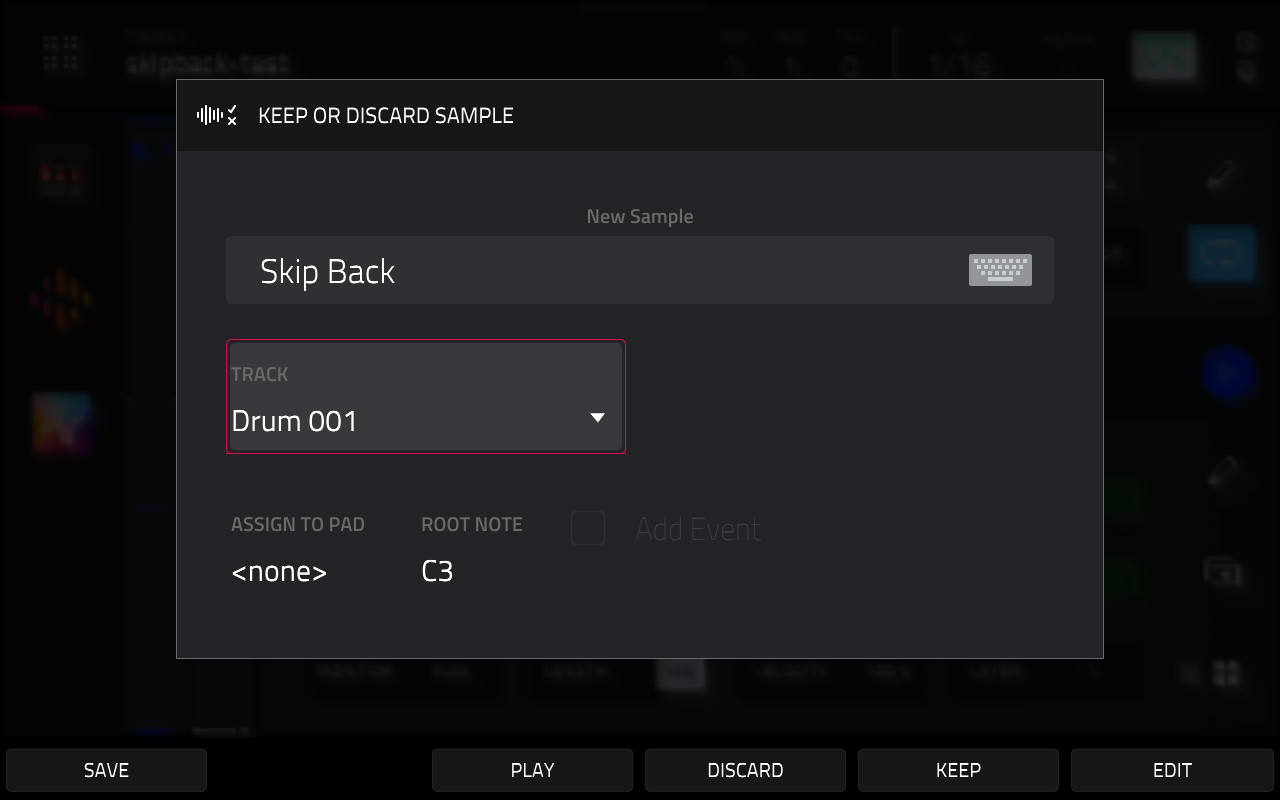
The buffer only keeps actual sound. It pauses after a few seconds of silence, so stopping to think doesn't push your idea out of it. The grab is trimmed (silence cut at both ends, a short tail kept) and handed to MPC's own Keep or Discard popup, so from there it's MPC as usual: keep it onto a track and pad, open it in Sample Edit, or throw it away.
How to use it
- Play. Nothing needs to be armed.
- Press SHIFT+REC.
- In the popup, choose Keep, Edit or Discard.
Closing the popup empties the buffer, so the next SHIFT+REC only offers what you played after it. Plain REC, the on-screen REC button and SHIFT+OVERDUB are unchanged. SHIFT+REC no longer runs MPC's own Retrospective Record.
If the buffer holds no sound you get a "nothing recorded" message. If the popup can't open right now (the Sampler page is open, the Looper is running, a recording is in progress or another popup is up) you're told so, and the buffer is left alone.
Settings
In skip-back.conf:
| Setting | Default | What it does |
|---|---|---|
seconds |
40 |
How many seconds of sound the buffer holds, 40 to 120. Needs an MPC restart. 120 s uses about 42 MB of memory. |
threshold_db |
-60 |
The buffer records while the level is at or above this (dBFS)... |
silence_s |
3 |
...and pauses after this many seconds below it. These two trim the next grab at once, but the buffer itself picks them up at the next MPC restart or audio change. |
grab |
1 |
0 makes SHIFT+REC stock again while the buffer keeps recording. |
enabled |
1 |
0 turns the mod off. Needs an MPC restart. |
Diagnostics: log, probe, tap_card.
How it works
The mod listens in on the audio the MPC sends to its outputs, copying it into a buffer without touching what you hear. It catches the SHIFT+REC press before MPC sees it, writes the trimmed grab to a temporary WAV file and hands it to the same step MPC uses when a normal sample recording finishes. That's why the popup and everything after it are MPC's own.
The metronome is recorded whenever you can hear it, because it's part of the main out. Set it to play only while recording if you don't want it in your grabs. Only MPC 3.10.0 is supported. On any other version the mod stays idle and SHIFT+REC works as stock.